Environment Context: Dockerized Python Application on Custom Bridge Network
| Attribute | Value |
|---|---|
| Component | Python 3.9 application using requests library |
| Deployment Method | Docker Compose (v3) with custom bridge network |
| Host OS | Linux (kernel 5.x) / Docker Desktop (macOS/Windows) |
| Critical Config Paths | docker-compose.yml, Dockerfile, requirements.txt |
| Network Configuration | Custom network mynetwork attached to the application service |
| Port Mapping | 5040:5040 (host → container) |
The application is a minimal Python script that performs an outbound HTTPS GET request to an external endpoint. The container runs with default network settings, attached to a user-defined bridge network (mynetwork).
The Symptom: Outbound HTTPS Requests Time Out Inside the Container
From the operator’s perspective, the container starts successfully, but the Python script fails to complete the outbound request. The application logs show a connection timeout error consistently, while the same code executes without issue when run directly on the host (outside Docker).
A quick check of the container logs revealed the following pattern:
Hello
Traceback (most recent call last):
  ...
requests.exceptions.ConnectTimeout: HTTPSConnectionPool(host='google.com', port=443): Max retries exceeded with url: / (Caused by ConnectTimeoutError(<urllib3.connection.HTTPSConnection object at ...>, 'Connection to google.com timed out. (connect timeout=2)'))
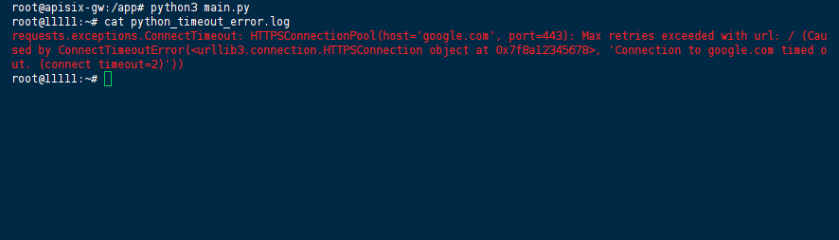
The timeout is set to 2 seconds, which is sufficient for the host but consistently insufficient inside the container — indicating a networking issue rather than a slow endpoint.
Raw Stack Trace: requests.exceptions.ConnectTimeout
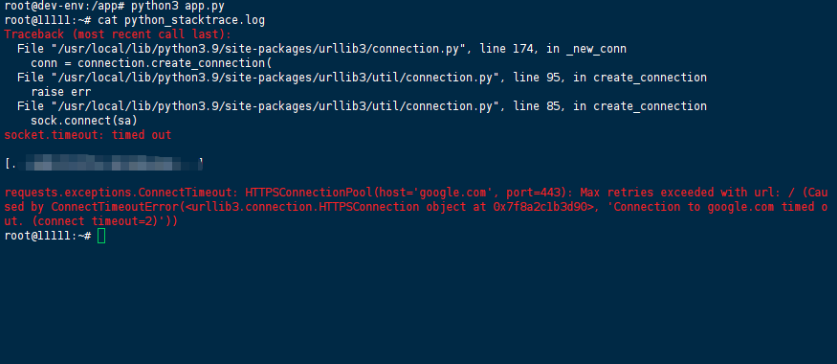
Below is the representative error output captured from the container’s stdout:
Hello
Traceback (most recent call last):
  File "/usr/local/lib/python3.9/site-packages/urllib3/connection.py", line 174, in _new_conn
    conn = connection.create_connection(
  File "/usr/local/lib/python3.9/site-packages/urllib3/util/connection.py", line 95, in create_connection
    raise err
  File "/usr/local/lib/python3.9/site-packages/urllib3/util/connection.py", line 85, in create_connection
    sock.connect(sa)
socket.timeout: timed out

During handling of the above exception, another exception occurred:

Traceback (most recent call last):
  File "/usr/local/lib/python3.9/site-packages/urllib3/connectionpool.py", line 715, in urlopen
    httplib_response = self._make_request(
  File "/usr/local/lib/python3.9/site-packages/urllib3/connectionpool.py", line 404, in _make_request
    self._validate_conn(conn)
  File "/usr/local/lib/python3.9/site-packages/urllib3/connectionpool.py", line 1061, in _validate_conn
    conn.connect()
  File "/usr/local/lib/python3.9/site-packages/urllib3/connection.py", line 363, in connect
    self.sock = conn = self._new_conn()
  File "/usr/local/lib/python3.9/site-packages/urllib3/connection.py", line 186, in _new_conn
    raise ConnectTimeoutError(
urllib3.exceptions.ConnectTimeoutError: (<urllib3.connection.HTTPSConnection object at 0x7f8a2c1b3d90>, 'Connection to google.com timed out. (connect timeout=2)')

During handling of the above exception, another exception occurred:

Traceback (most recent call last):
  File "/usr/local/lib/python3.9/site-packages/requests/adapters.py", line 487, in send
    resp = conn.urlopen(
  File "/usr/local/lib/python3.9/site-packages/urllib3/connectionpool.py", line 799, in urlopen
    retries = retries.increment(
  File "/usr/local/lib/python3.9/site-packages/urllib3/util/retry.py", line 592, in increment
    raise MaxRetryError(_pool, url, error or ResponseError(cause))
urllib3.exceptions.MaxRetryError: HTTPSConnectionPool(host='google.com', port=443): Max retries exceeded with url: / (Caused by ConnectTimeoutError(<urllib3.connection.HTTPSConnection object at 0x7f8a2c1b3d90>, 'Connection to google.com timed out. (connect timeout=2)'))

During handling of the above exception, another exception occurred:

Traceback (most recent call last):
  File "/app/app.py", line 9, in main
    response = requests.get(url, timeout=2)
  File "/usr/local/lib/python3.9/site-packages/requests/api.py", line 73, in get
    return request("get", url, params=params, **kwargs)
  File "/usr/local/lib/python3.9/site-packages/requests/api.py", line 59, in request
    return session.request(method=method, url=url, **kwargs)
  File "/usr/local/lib/python3.9/site-packages/requests/sessions.py", line 587, in request
    resp = self.send(prep, **send_kwargs)
  File "/usr/local/lib/python3.9/site-packages/requests/sessions.py", line 701, in send
    r = adapter.send(request, **kwargs)
  File "/usr/local/lib/python3.9/site-packages/requests/adapters.py", line 504, in send
    raise ConnectTimeout(e, request=request)
requests.exceptions.ConnectTimeout: HTTPSConnectionPool(host='google.com', port=443): Max retries exceeded with url: / (Caused by ConnectTimeoutError(<urllib3.connection.HTTPSConnection object at 0x7f8a2c1b3d90>, 'Connection to google.com timed out. (connect timeout=2)'))
Key observation: The error occurs at the TCP connection stage (socket.connect), not at the TLS or HTTP layer. This narrows the root cause to network reachability or DNS resolution from within the container.
Failed Attempts: Common Missteps That Did Not Resolve the Issue
| Attempt | Result | Why It Failed |
|---|---|---|
Increasing timeout from 2 to 30 seconds | Timeout still triggered, just later | The issue is not latency — the connection never establishes at all |
| Removing the custom network and using the default bridge | Same timeout | Default bridge has the same DNS and routing constraints |
Adding network_mode: host | Worked, but defeated container isolation | Host mode bypasses Docker’s network stack entirely — not a viable long-term solution |
| Pinging the target IP from inside the container | ping: bad address 'google.com' | Confirmed DNS resolution failure inside the container |
Using --dns 8.8.8.8 in docker run | Partial success, but not portable | Manual DNS override works but does not address the underlying Compose configuration gap |
We noticed that the container could reach external IPs when using raw IP addresses, but domain name resolution consistently failed. This pointed squarely at DNS configuration rather than routing or firewall rules.
The Solution: Explicit DNS Configuration in Docker Compose
The root cause is that Docker’s default bridge network does not automatically inherit the host’s DNS settings in all environments. When using a custom network in Docker Compose, the container may fall back to an empty or incorrect /etc/resolv.conf, preventing name resolution for external domains.
Permanent Fix: Specify DNS Servers in docker-compose.yml
Add the dns directive under the service definition:
version: '3'
services:
  myapp:
    build:
      context: .
      dockerfile: Dockerfile
    ports:
      - "5040:5040"
    networks:
      - mynetwork
    dns:
      - 8.8.8.8
      - 1.1.1.1
    # Optional: also set search domains if needed
    # dns_search:
    #   - internal.corp

networks:
  mynetwork:
Why this works: The dns field explicitly populates /etc/resolv.conf inside the container with the specified nameservers. The container will use these servers for all outbound DNS queries, resolving google.com to an IP address before attempting the TCP connection.
Alternative: Use Host’s DNS Resolvers
If you prefer to inherit the host’s DNS configuration (more portable across networks), use:
dns:
  - 192.168.1.1   # Replace with your host's DNS server
To find your host’s DNS server on Linux:
systemd-resolve --status | grep "DNS Servers"
# or
cat /etc/resolv.conf | grep nameserver
Verify the Fix
After applying the change, rebuild and restart the container:
docker-compose down
docker-compose up --build
Inside the container, verify DNS resolution:
docker-compose exec myapp cat /etc/resolv.conf
# Should show the specified DNS servers
docker-compose exec myapp nslookup google.com
# Should return an IP address
The application should now complete the request successfully within the configured timeout.
Prevention: Monitoring and Configuration Hardening
To avoid recurrence in production or development environments:
1. Network Health Checks
Add a simple connectivity test as part of the container’s health check:
healthcheck:
  test: ["CMD", "curl", "-f", "https://google.com", "||", "exit", "1"]
  interval: 30s
  timeout: 5s
  retries: 3
2. Structured Logging for Network Errors
Wrap outbound requests with detailed error logging that captures DNS and connection diagnostics:
import socket
import logging

try:
    socket.gethostbyname('google.com')
except socket.gaierror as e:
    logging.error(f"DNS resolution failed: {e}")
3. Environment-Specific DNS Configuration
Use Docker Compose environment variables or .env files to set DNS servers dynamically:
dns:
  - ${DNS_SERVER:-8.8.8.8}
4. Prometheus Metrics for Outbound Connectivity
Export a simple gauge metric indicating the success/failure of periodic external reachability tests. Alert on sustained failures.
5. Use network_mode: host Only as a Last Resort
Host networking bypasses Docker’s network isolation and can cause port conflicts. Reserve it for debugging or specific low-level use cases.
References
- Official Docker Documentation — Configure container DNS
- Official Docker Compose Reference —
dnsfield - Python
requestsLibrary Documentation — Timeout Configuration urllib3Exceptions — ConnectTimeoutError
(Last verified: 28 May 2026 — Docker Compose v3, Python 3.9, requests 2.22.0
