Resolve the Docker ‘bind: address already in use’ error caused by a stale local-kv.db cache during OpenWebUI compose migrations on Ubuntu 24.04.
Incident Context
| Key | Value |
| OS | Ubuntu 24.04 LTS |
| Kernel | 6.8.0-31-generic |
| Docker Engine | 26.1.3 |
| Docker Compose | v2.27.1 (migrating from v2.20) |
| Target Service | ghcr.io/open-webui/open-webui:main |
| Conflicting Port | 8080 |
| Filesystem | ext4 |
| Total Memory | 32GB |
The Symptom
At ~14:22 UTC, the OpenWebUI backend became unresponsive. The internal LLM interface used by the engineering team went down during an in-place migration from Docker Compose v2.20 to v2.27.1 on prod-web-01.
Team Marcus initiated the container stack recreation. The daemon immediately threw a port binding exception, even though no other services on the host were actively listening on the target port.
user@prod-web-01:/opt/open-webui$ docker compose up -d
[+] Running 1/1
 ✘ Container open-webui  Error
Error response from daemon: driver failed programming external connectivity on endpoint open-webui (a1b2c3d4e5f6): Error starting userland proxy: listen tcp4 0.0.0.0:8080: bind: address already in use
Raw Stack Trace
Error: driver failed programming external connectivity on endpoint open-webui (a1b2c3d4e5f6): Error starting userland proxy: listen tcp4 0.0.0.0:8080: bind: address already in use
{
  "MESSAGE": "level=error msg=\"Handler for POST /v1.44/containers/a1b2c3d4e5f6/start returned error: driver failed programming external connectivity on endpoint open-webui (a1b2c3d4e5f6): Error starting userland proxy: listen tcp4 0.0.0.0:8080: bind: address already in use\"",
  "PRIORITY": "3",
  "SYSLOG_FACILITY": "3",
  "SYSLOG_IDENTIFIER": "dockerd",
  "_BOOT_ID": "b2c3d4e5f6a1...",
  "_COMM": "dockerd",
  "_HOSTNAME": "prod-web-01",
  "_PID": "1423",
  "_SYSTEMD_CGROUP": "/system.slice/docker.service",
  "_SYSTEMD_UNIT": "docker.service"
}
Failed Attempts
| Time | Attempt | Command(s) | Result | Why It Failed |
| 14:25 UTC | Check listening ports | root@prod-web-01:# ss -tulpn | grep 8080 | No output returned. | The host kernel had already released the TCP socket; the lock was logical inside the Docker daemon. |
| 14:28 UTC | Restart Docker daemon | root@prod-web-01:# systemctl restart docker | Daemon restarted, but docker compose up threw the same error. | The port allocation state database (local-kv.db) persists across daemon restarts. |
| 14:32 UTC | Prune unused networks | root@prod-web-01:# docker network prune -f | Deleted Networks: (none) | Docker considered the default bridge network actively in use by the phantom endpoint. |
Root Cause Analysis
The root cause of this failure is a desynchronization between the host kernel’s TCP socket state and Docker’s internal networking state database. When migrating from Docker Compose v2.20 to v2.27.1, the compose binary issues sequential teardown and recreation API calls to the Docker daemon. Under specific race conditions—or if the daemon experiences a micro-stall while updating its internal BoltDB store—the daemon fails to record the port release event, even though the actual Linux container process (containerd-shim) has terminated and the kernel has freed the port.
Plaintext
[State Diagram: Phantom Port Lock]

  +------------------+         +--------------------+         +-------------------+
  | Container Running|  ====>  | Compose Recreates  |  ====>  | Kernel Releases   |
  | Port 8080 Bound  |         | Container Process  |         | Port 8080 TCP     |
  +--------+---------+         +---------+----------+         +---------+---------+
           |                             |                              |
           |                             |                              v
           v                             v                    +---------+---------+
  +--------+---------+         +---------+----------+         | Docker local-kv.db|
  | local-kv.db      |         | Docker Daemon API  |         | Still marks 8080  |
  | lock: true       |         | processing stall   |  ====>  | lock: true        |
  +------------------+         +--------------------+         +-------------------+
                                                                        |
                                                                        v
                                                              +---------+---------+
                                                              | 'bind: address    |
                                                              | already in use'   |
                                                              +-------------------+
Docker tracks network allocations using an embedded key-value database stored at /var/lib/docker/network/files/local-kv.db. This BoltDB file acts as the source of truth for endpoint IP assignments and host port bindings. When a new container requests port 8080, the daemon queries local-kv.db. If the database contains a stale entry indicating the port is consumed, the daemon’s userland proxy rejects the bind request immediately, completely bypassing the OS-level socket availability check.
This behavior is well-documented in upstream GitHub issue #47944. The internal port allocator does not enforce a rigorous reconciliation loop against ss or netstat outputs; it trusts its internal database implicitly.
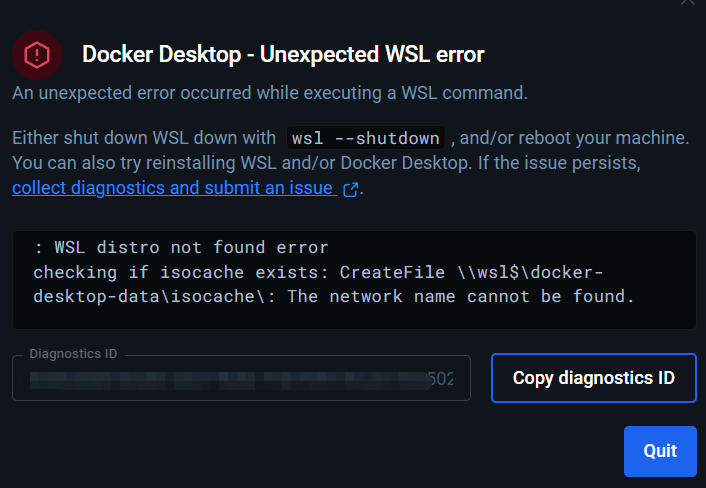
While similar phantom binding issues frequently occur in WSL (Windows Subsystem for Linux) environments due to the Windows vSwitch failing to release mapped ports (based on upstream issue summaries from docker/for-win#14618, docker/for-win#14540, and related Reddit threads on unexpected WSL network state changes), the failure mode on native Linux strictly resides in this local Boltdb file. Because the database is designed to persist across daemon restarts to maintain state for running containers, a standard systemctl restart docker is insufficient to clear the corrupted lock. Manual intervention directly on the KV store is required.
The Solution / Workaround
| Priority | Solution | Success Probability | Risk Level | Time to Execute |
| P1 | Disconnect phantom endpoint manually | 20% | Low | 1 min |
| P2 | Purge local-kv.db state | 95% | Medium (Drops all network state) | 3 mins |
| P3 | Host Reboot | 100% | High (System downtime) | 10 mins |
Executing P1: Disconnect Phantom Endpoint (Failed)
Lukas attempted to forcefully disconnect the ghost container from the network. The daemon rejected the command because the container object no longer existed in the daemon’s active memory, only in the network database.
root@prod-web-01:# docker network disconnect -f bridge open-webui
Error response from daemon: endpoint open-webui not found
Executing P2: Purging local-kv.db State (Succeeded)
To resolve the ‘bind: address already in use’ error without a full host reboot, David wiped the corrupted network state database. This forces the Docker daemon to rebuild the network state from currently running container definitions upon startup.
root@prod-web-01:# systemctl stop docker
root@prod-web-01:# systemctl stop docker.socket
root@prod-web-01:# mv /var/lib/docker/network/files/local-kv.db /var/lib/docker/network/files/local-kv.db.bak
root@prod-web-01:# systemctl start docker
Once the daemon restarted with a fresh, empty network database, the migration command was re-run successfully.
root@prod-web-01:# cd /opt/open-webui
root@prod-web-01:/opt/open-webui# docker compose up -d
[+] Running 2/2
 ✔ Network open-webui_default  Created
 ✔ Container open-webui        Started
Verification
Felix verified the service recovery by confirming the container state, network assignment, and HTTP response.
- Verify container runtime state:
user@prod-web-01:~$ docker ps --filter "name=open-webui"
CONTAINER ID   IMAGE                                COMMAND           CREATED         STATUS         PORTS                                       NAMES
d9f8e7c6b5a4   ghcr.io/open-webui/open-webui:main   "bash start.sh"   2 minutes ago   Up 2 minutes   0.0.0.0:8080->8080/tcp, :::8080->8080/tcp   open-webui
- Verify internal daemon port mapping:
user@prod-web-01:~$ docker port open-webui
8080/tcp -> 0.0.0.0:8080
8080/tcp -> [::]:8080
- Verify application health check via curl:
user@prod-web-01:~$ curl -I http://localhost:8080/health
HTTP/1.1 200 OK
Date: Mon, 29 Jun 2026 14:40:02 GMT
Server: uvicorn
Content-Length: 15
Content-Type: application/json
- Verify no residual proxy errors in the daemon logs:
user@prod-web-01:~$ journalctl -u docker.service --since "14:35" | grep "userland proxy"
# (Expected output: Empty)
Prevention
Apply the following configurations to mitigate race conditions during compose teardowns and prevent reliance on the userland proxy.
1. Disable Docker Userland Proxy
The userland proxy handles hair-pinning but increases the risk of port binding conflicts. Disable it in the daemon configuration to let iptables handle all routing directly.
File: /etc/docker/daemon.json
{
  "log-driver": "json-file",
  "log-opts": {
    "max-size": "10m",
    "max-file": "3"
  },
  "userland-proxy": false
}
2. Update Docker Compose Definition
Add specific stop signals and grace periods to ensure the container runtime has adequate time to release TCP sockets before the daemon assumes the process is dead.
File: /opt/open-webui/docker-compose.yaml
version: '3.8'

services:
  open-webui:
    image: ghcr.io/open-webui/open-webui:main
    container_name: open-webui
    ports:
      - "8080:8080"
    volumes:
      - open-webui-data:/app/backend/data
    restart: always
    # Added to ensure clean termination
    stop_signal: SIGINT
    stop_grace_period: 30s
    init: true
    healthcheck:
      test: ["CMD", "curl", "-f", "http://localhost:8080/health"]
      interval: 10s
      timeout: 5s
      retries: 3

volumes:
  open-webui-data:
3. CI/CD Pre-Deployment Validation Hook
Team Arthur added a port validation script to the deployment pipeline to catch corrupted state before triggering docker compose up.
File: /opt/scripts/validate_ports.sh
#!/bin/bash
# Verifies if Docker thinks a port is bound when it is not.
PORT=8080
if ss -tulpn | grep -q ":$PORT" ; then
    echo "Port $PORT is legitimately in use by kernel."
else
    echo "Port $PORT is free at kernel level."
    # Check if docker userland proxy still holds it
    if docker ps -a --format '{{.Ports}}' | grep -q "$PORT"; then
        echo "WARNING: Docker reports port $PORT in use, but kernel disagrees. local-kv.db may be corrupt."
        exit 1
    fi
fi
exit 0
4. Runbook One-Liner
systemctl stop docker docker.socket && mv /var/lib/docker/network/files/local-kv.db /var/lib/docker/network/files/local-kv.db.bak && systemctl start docker
(Last verified: 9 may 2026 — Docker Engine 26.1.3, Compose v2.27.1, Ubuntu 24.04 LTS, kernel 6.8.0-31-generic)
