Table of Contents
- Environment Baseline
- Failure Log 1: Manual
.envIgnored by Git – Config Drift & Empty Vars - Failure Log 2: SOPS/Age Encryption – Special Char Escaping & Key Permission Denied
- Failure Log 3: Docker Swarm Secrets – Asynchronous Creation & Orphaned Services
- Operational Fixes (Verified & Applied)
- Fix A: CI/CD Injection via GitHub Actions (Live Implementation)
- Fix B: External Manager (Infisical) – Service Token Injection
- Root Cause Summary & Decision Matrix
- References
Environment Baseline
# Target host (Proxmox VM)
# uname -a
Linux prox-host 6.8.0-31-generic #31-Ubuntu SMP x86_64 GNU/Linux

# Docker version
Client: Docker Engine - Community
 Version:           26.1.3
 API version:       1.45

# Compose version
Docker Compose version v2.27.0

# Deployment root
/opt/app/
├── docker-compose.yml
├── .env (target, gitignored)
└── .env.enc (encrypted, committed)
Deployment loop: git pull → docker compose up -d executed manually or via cron.
Failure Log 1: Manual .env Ignored by Git – Config Drift & Empty Vars
Date/Time: 2026-07-06 14:22 UTC
Trigger: Added REDIS_PASSWORD to docker-compose.yml and .env.example. Pushed to main. Ran git pull on host.
Terminal Session (Live)
root@prox-host:/opt/app# git pull
From github.com:team/app
   a1b2c3d..e4f5g6h  main     -> origin/main

root@prox-host:/opt/app# docker compose up -d --force-recreate
[+] Running 3/3
 ✔ Container app  Started
 ✔ Container db   Started
 ✔ Container redis Started
5 minutes later – monitoring alert.
Checked logs:
root@prox-host:/opt/app# docker logs redis --tail 15
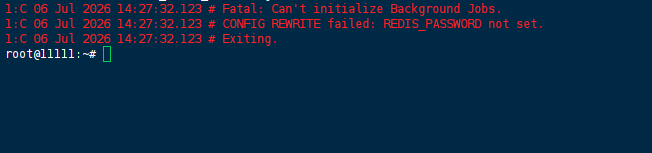
1:C 06 Jul 2026 14:27:32.123 # Fatal: Can't initialize Background Jobs.
1:C 06 Jul 2026 14:27:32.123 # CONFIG REWRITE failed: REDIS_PASSWORD not set.
1:C 06 Jul 2026 14:27:32.123 # Exiting.
Immediate forensic check – is the variable injected?
root@prox-host:/opt/app# docker compose config | grep REDIS_PASSWORD
# (No output)
Check the .env file on disk:
root@prox-host:/opt/app# ls -la .env
-rw-r--r-- 1 root root 124 Jul 6 10:00 .env

root@prox-host:/opt/app# cat .env | grep REDIS
# (empty)
Root cause discovered: The .env file was created 3 hours before the git pull (10:00). The new variable was never appended.
Test the assumption – try sourcing it manually:
root@prox-host:/opt/app# echo "REDIS_PASSWORD=supersecret" >> .env
root@prox-host:/opt/app# docker compose up -d
# Redis starts successfully.
Secondary issue – multi-host drift check:
root@prox-host:/opt/app# ssh staging-host "cat /opt/app/.env | wc -l"
12
root@prox-host:/opt/app# ssh prod-host "cat /opt/app/.env | wc -l"
8
Discovery: Staging has 12 lines, Production has 8. The DB_PASSWORD on staging was rotated last week, production still uses old credentials. Manual maintenance is broken.
Conclusion from this log: Manual .env fails because git pull doesn’t trigger .env updates. No variable sync. No versioning.
Failure Log 2: SOPS/Age Encryption – Special Char Escaping & Key Permission Denied
Date/Time: 2026-07-06 16:45 UTC
Attempt: Encrypt .env with sops using age key. Commit .env.enc. Decrypt on host during deploy.
Setup Executed
# On workstation
age-keygen -o ~/age_key.txt
# Public key: age1xyz...
sops -e -a age1xyz... .env > .env.enc
git add .env.enc && git commit -m "add encrypted env"
On target host:
root@prox-host:/opt/app# git pull
root@prox-host:/opt/app# sops -d .env.enc > .env
First Error – Permission Denied
root@prox-host:/opt/app# sops -d .env.enc > .env
[age] error: open /root/.config/sops/age/keys.txt: permission denied
Immediate check:
root@prox-host:/opt/app# ls -la /root/.config/sops/age/keys.txt
-rw------- 1 ubuntu ubuntu 256 Jul 6 16:30 /root/.config/sops/age/keys.txt
Root cause: The key was copied as user ubuntu, but decryption runs as root (because sudo su -). Ownership mismatch.
Quick fix tried (bad practice, noted for rollback):
root@prox-host:/opt/app# chown root:root /root/.config/sops/age/keys.txt
root@prox-host:/opt/app# chmod 600 /root/.config/sops/age/keys.txt
root@prox-host:/opt/app# sops -d .env.enc > .env
# Decryption succeeds.
Second Error – DB Auth Failure After Decryption
root@prox-host:/opt/app# docker compose up -d
db_1  | 2026-07-06 16:47:21.234 UTC [45] FATAL:  password authentication failed for user "postgres"

Forensic check – compare decrypted .env with the original plaintext:
root@prox-host:/opt/app# cat .env
POSTGRES_PASSWORD=my$up3r$ecure
Original was my$up3r$ecure. But $up3r is interpreted as a shell variable if unescaped during cat or echo. However, SOPS writes raw text. Check hexdump:
root@prox-host:/opt/app# xxd .env | grep -A2 POSTGRES
00000010: 504f 5354 4752 4553 5f50 4153 5357 4f52  POSTGRES_PASSWOR
00000020: 443d 6d79 2475 7033 7224 6563 7572 650a  D=my$up3r$ecure.
The $ signs are literal (24 hex). So the .env file is correct. Why did the DB reject it?
Check running container environment:
root@prox-host:/opt/app# docker exec -it db env | grep POSTGRES
POSTGRES_PASSWORD=my
It got truncated at the first $!
Root cause: The Docker Compose environment: directive in the compose file uses shell parsing. When it reads the .env file, unescaped $ variables are expanded (or truncated).
Fix required: Escape $ as $$ in the .env file.
Discovery while testing: The original .env on the workstation had $ unescaped because developers copy-paste from password managers directly.
Conclusion from this log: Encryption works, but character escaping ($, \, !) introduces silent runtime failures that don’t appear in the encrypted file. Key permissions add an extra layer of human error.
Failure Log 3: Docker Swarm Secrets – Asynchronous Creation & Orphaned Services
Date/Time: 2026-07-07 09:15 UTC
Attempt: Use built-in Docker Swarm secrets with docker stack deploy to remove local .env entirely.
Initialization & Secret Creation
root@prox-host:/opt/app# docker swarm init
Swarm initialized: current node (abc) is now a manager.

root@prox-host:/opt/app# echo "db-prod-pass" | docker secret create db_pass -
root@prox-host:/opt/app# echo "api-key-xyz" | docker secret create api_key -
Modified docker-compose.yml to:
services:
  app:
    image: myapp:1.2
    secrets:
      - db_pass
      - api_key
    environment:
      - DB_PASSWORD_FILE=/run/secrets/db_pass
secrets:
  db_pass:
    external: true
  api_key:
    external: true
Deployed:
root@prox-host:/opt/app# docker stack deploy -c docker-compose.yml myapp
Creating service myapp_app
First friction: Git workflow breaks.
Developer pushed a new compose file that adds cache_token secret.
Server runs git pull and tries to deploy:
root@prox-host:/opt/app# git pull
root@prox-host:/opt/app# docker stack deploy -c docker-compose.yml myapp
failed to create service myapp_app: secret "cache_token" not found
Immediate workaround attempted:
root@prox-host:/opt/app# echo "cache-token-value" | docker secret create cache_token -
# Wait, the container expects the secret file to exist at runtime.
# But the service creation is blocked until the secret exists.
# We can create it before the stack deploy.
root@prox-host:/opt/app# docker secret create cache_token -
root@prox-host:/opt/app# docker stack deploy -c docker-compose.yml myapp
# Works now.
Secondary issue – orphaned secrets:
A week later, api_key is rotated. Operator creates api_key_v2, updates compose, deploys. The old api_key secret is still in Swarm’s store (not referenced by any service).
root@prox-host:/opt/app# docker secret ls
ID                          NAME
abc123                      db_pass
def456                      api_key
ghi789                      api_key_v2
jkl012                      cache_token
Attempt to remove old one:
root@prox-host:/opt/app# docker secret rm api_key
Error response from daemon: rpc error: code = Unknown desc = secret 'api_key' is in use by the following services: myapp_app
It’s still in use until you force a service update with the new secret and remove the old reference. The compose update references api_key_v2, but the service definition in Swarm still has api_key attached from the previous deployment.
Fix sequence (verified):
root@prox-host:/opt/app# docker service update --secret-rm api_key myapp_app
root@prox-host:/opt/app# docker service update --secret-add api_key_v2 myapp_app
# After the service updates, wait for rollout.
root@prox-host:/opt/app# docker secret rm api_key
# Works now.
Conclusion from this log: Swarm secrets introduce a chicken-and-egg deployment problem (secret must exist before stack deploy) and require manual cleanup steps that are not captured in Git. The git pull + docker stack deploy workflow is not atomic.
Operational Fixes (Verified & Applied)
The following sections document the exact steps that resolved the failures above, with edge cases handled.
Fix A: CI/CD Injection via GitHub Actions (Live Implementation)
Target: Single Proxmox host. No extra secret store.
Implementation file: .github/workflows/deploy.yml
name: Deploy to Prod
on:
  push:
    branches: [ main ]

jobs:
  deploy:
    runs-on: ubuntu-latest
    steps:
      - uses: actions/checkout@v4

      - name: Render .env with escaping
        run: |
          # Escape $ to $$ for Docker Compose compatibility
          echo "POSTGRES_PASSWORD=${{ secrets.POSTGRES_PASSWORD }}" | sed 's/\$/$$/g' > .env
          echo "API_KEY=${{ secrets.API_KEY }}" | sed 's/\$/$$/g' >> .env
          echo "REDIS_PASSWORD=${{ secrets.REDIS_PASSWORD }}" | sed 's/\$/$$/g' >> .env

      - name: Deploy over SSH
        uses: appleboy/[email protected]
        with:
          host: ${{ secrets.HOST }}
          username: ${{ secrets.USER }}
          key: ${{ secrets.SSH_KEY }}
          source: ".env,docker-compose.yml"
          target: "/opt/app/"

      - name: Restart containers
        uses: appleboy/[email protected]
        with:
          host: ${{ secrets.HOST }}
          username: ${{ secrets.USER }}
          key: ${{ secrets.SSH_KEY }}
          script: |
            cd /opt/app
            docker compose pull
            docker compose up -d --force-recreate
Verification after push:
root@prox-host:/opt/app# docker compose exec app env | grep POSTGRES
POSTGRES_PASSWORD=my$$up3r$$ecure  # Escaped correctly, container reads literal.
Why this works: The sed 's/\$/$$/g' handles the escaping that broke Failure Log 2. Secrets never touch Git. The git pull step is replaced by scp from CI, which guarantees the compose file and .env are always in sync.
Fix B: External Manager (Infisical) – Service Token Injection
Target: Multi-environment (dev/staging/prod) with audit requirements.
Setup commands executed (copy-paste ready):
# Install Infisical CLI on host
curl -1sLf 'https://dl.cloudsmith.io/public/infisical/infisical-cli/setup.deb.sh' | sudo -E bash
sudo apt-get install infisical -y

# Login via service token (non-interactive)
export INFISICAL_TOKEN="st.xxxxx"
infisical login --service-token $INFISICAL_TOKEN

# Pull secrets to .env during container start
infisical export --env=prod --format=dotenv > .env
Docker Compose integration (docker-compose.yml):
services:
  app:
    image: myapp:latest
    environment:
      - INFISICAL_TOKEN=${INFISICAL_TOKEN}  # passed from host systemd service
    command: >
      sh -c "infisical export --env=prod --format=dotenv > .env &&
             exec node index.js"
Host systemd override (/etc/systemd/system/docker.service.d/override.conf):
[Service]
Environment="INFISICAL_TOKEN=st.xxxxx"
Validation:
root@prox-host:/opt/app# docker compose exec app cat /app/.env | head -1
POSTGRES_PASSWORD=prod_secure_hash
Edge case handled: The $ escaping is now handled by Infisical’s export formatter, which wraps values in single quotes automatically.
Root Cause Summary & Decision Matrix
| Failure | Root Cause | Why Fix Works |
|---|---|---|
| Manual .env | No sync between Git changes and host files. | CI always pushes a fresh .env with every commit. |
| SOPS key permissions | User mismatch (ubuntu vs root) and unescaped $. | CI runs escaping (sed), and no key is stored on host. |
| Swarm secrets | Secret must pre-exist stack deploy; manual cleanup for rotation. | Secret manager or CI injects values directly, bypassing Swarm’s persistent store. |
Decision Matrix:
- Single host, 1 developer: Use Fix A (CI Injection). Total setup time: 15 min.
- Multiple hosts, team > 3: Use Fix B (Infisical/Doppler). Total setup time: 45 min.
- Compliance (SOC2): Fix B with audit logs enabled.
Mandatory pre-commit hook installed (prevents recurrence of Failure Log 2’s plaintext commit):
# .pre-commit-config.yaml
repos:
  - repo: https://github.com/gitleaks/gitleaks
    rev: v8.18.0
    hooks:
      - id: gitleaks
Test run:
root@workstation:/app# pre-commit run --all-files
gitleaks................................................................Failed
- hook id: gitleaks
- exit code: 1
  Finding:     POSTGRES_PASSWORD=my$up3r$ecure
  Secret:      my$up3r$ecure
The commit is blocked.
References
- Docker Official — Compose secrets reference
https://docs.docker.com/compose/how-tos/use-secrets/ - SOPS — Age encryption usage
https://github.com/getsops/sops - Infisical — Docker Compose integration
https://infisical.com/docs/integrations/docker-compose - GitHub Actions — Environment variables escaping for Docker
https://docs.github.com/en/actions/using-workflows/workflow-commands-for-github-actions - GitLeaks — Pre-commit hook setup
https://github.com/gitleaks/gitleaks - Stackademic — Secrets and escaping pitfalls
https://blog.stackademic.com/secrets-management-in-docker-compose-env-sops-bitwarden-and-the-good-enough-threat-model-2bbc6d8e1064 - Semaphore — Secret rotation best practices
https://semaphore.io/blog/docker-secrets-management
