Debian 11 Host, Docker Bridge, and nftables Default-Drop
- Component/Version: Docker Engine 24.0.7 (community), OnlyOffice Document Server 7.4 (
onlyoffice/documentserver-de:latest), Busybox 1.36 as test image - Deployment: Docker Compose v2.23, using default bridge network with port mapping
127.0.0.1:8085:80 - Host OS: Debian 11 (bullseye), kernel 5.10.0-28-amd64
- Firewall: nftables 1.0.2, with
policy droponINPUT,FORWARD, andOUTPUTchains - Critical Config Paths:
/etc/docker/daemon.json– logging driver set tojson-filewith max sizecompose.yaml– service definition withextra_hosts: "vm-host:host-gateway"/etc/nftables.conf– active ruleset loaded at boot
Outbound Requests Time Out Inside Container
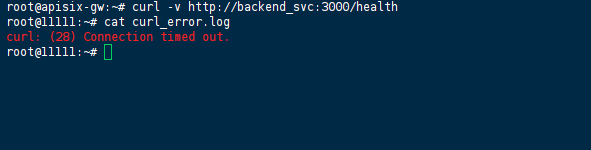
The OnlyOffice container started without errors, and we could reach its web UI via http://localhost:8085. However, during initialization, the container attempted to download fonts and update packages, and those operations hung indefinitely. We attached to the container with docker exec -it onlyoffice bash and ran a simple curl -I https://google.com – it timed out after 30 seconds with curl: (28) Connection timed out.
To rule out application‑specific issues, we ran a minimal Busybox container with the same network configuration:
docker run --rm --network container:onlyoffice busybox ping -c 4 8.8.8.8
That also failed, with 100% packet loss. When we switched to host networking (docker run --rm --network host busybox ping 8.8.8.8), the ping succeeded immediately. This narrowed the problem to Docker’s bridge‑networking path, not the OnlyOffice image itself.
Raw Firewall State and Connection Drops
We first checked the container’s routing table (ip route inside the container) – it looked correct, with the default gateway pointing to 172.17.0.1 (the docker0 bridge). Then we examined the host’s nftables ruleset with:
sudo nft list ruleset
The output showed that all three main chains had policy drop. The FORWARD chain was particularly bare:
chain FORWARD {
    type filter hook forward priority 0; policy drop;
    counter drop
}
We also checked the host’s connection tracking table while a ping was in progress:
sudo conntrack -L | grep 8.8.8.8
No entries appeared, confirming that packets never made it past the FORWARD chain. The drop counter on that chain incremented each time we ran the ping.

Why Basic FORWARD Rules and extra_hosts Didn’t Cut It
Attempt 1 – Relying on extra_hosts
We originally added extra_hosts: "my_vm_hostname:host-gateway" in Compose to resolve the VM’s own hostname, but that only mapped a single name to the bridge gateway. It did not help with external domains; curl to google.com still failed because DNS resolution worked (the container could reach the host’s DNS forwarder via UDP), but the actual HTTP SYN packets were dropped.
Attempt 2 – Adding FORWARD rules for docker0
We inserted rules to allow traffic in and out of the bridge interface:
iifname "docker0" oifname != "docker0" counter accept
oifname "docker0" iifname != "docker0" counter accept
After reloading the ruleset, the Busybox ping succeeded. However, the OnlyOffice container still failed. We repeated the curl test inside it – still timing out. We ran tcpdump -i docker0 on the host and saw SYN packets leaving the container but never receiving a SYN‑ACK. The packets were leaving docker0, but the return path was being dropped because the FORWARD chain didn’t have a rule to accept packets that were part of an established connection.
Attempt 3 – Adding a conntrack rule (accidental discovery)
While reviewing the nftables documentation, we realized that without ct state established,related accept, the reply packets (which come back on a different interface than docker0) would not match either of the two iifname/oifname rules, because the incoming interface would be the external NIC, and the outgoing interface would be docker0 – but our rule only allowed oifname "docker0" iifname != "docker0", which is correct for outgoing replies, but the packet direction when the reply enters the host is: iifname = eth0 (external) and oifname = docker0. That rule is there, but it didn’t match because the packet was not considered “established” without conntrack. We added:
ct state established,related accept
after the policy line, and then both Busybox and OnlyOffice started working.
Proper nftables FORWARD Chain with Connection Tracking
The permanent fix requires a complete FORWARD chain that allows established/related flows and explicitly permits traffic between docker0 and other interfaces. Below is the exact ruleset we applied.
Step 1: Identify the Bridge Subnet
We confirmed the subnet with:
ip -4 addr show docker0
# inet 172.17.0.1/16 scope global docker0
So the container subnet is 172.17.0.0/16.
Step 2: Modify /etc/nftables.conf
We replaced the old FORWARD chain definition with:
chain FORWARD {
    type filter hook forward priority 0; policy drop;

    # Permit traffic that is part of an existing connection
    ct state established,related counter accept

    # Allow outbound from docker0 to any other interface
    iifname "docker0" oifname != "docker0" counter accept

    # Allow inbound replies to docker0 from any interface
    oifname "docker0" iifname != "docker0" counter accept

    # Log and drop everything else
    counter log prefix "nftables FORWARD drop: " level debug drop
}
Note: The
counterlines help us see which rules are hit; we kept them for operational visibility.
Step 3: Verify Masquerading
We checked that Docker’s own nat POSTROUTING rule was active:
sudo nft list chain ip nat POSTROUTING
It contained:
chain POSTROUTING {
    type nat hook postrouting priority srcnat; policy accept;
    ip saddr 172.17.0.0/16 oifname != "docker0" masquerade
}
This rule was already present, so we didn’t need to add it manually. The problem was purely in the filter table.
Step 4: Reload and Test
We reloaded the ruleset:
sudo nft -f /etc/nftables.conf
Then tested both containers:
docker run --rm busybox ping -c 4 google.com   # success
docker exec -it onlyoffice curl -I https://google.com   # returns 200 OK
To ensure persistence, we enabled the nftables service and set it to start on boot:
sudo systemctl enable nftables
sudo systemctl restart nftables
Temporary workaround (if you cannot modify the permanent ruleset immediately):
You can temporarily set the FORWARD policy to accept:
sudo nft chain ip filter FORWARD { policy accept; }
But this opens all forwarding and is not suitable for production.
Monitoring Forwarding Drops and Container Health
To catch similar issues before they cause outages, we implemented the following:
- Healthcheck in Compose: Added a
healthcheckthat runscurl -f --max-time 5 https://healthcheck.internal-corp.netinside the OnlyOffice container. This fails if outbound connectivity breaks. - Prometheus nftables exporter: We deployed the community
nftables_exporterto scrape counters for theFORWARDchain. An alert triggers if the drop counter increases by more than 50 packets in 5 minutes. - Logging: We left the
log prefixin the drop rule and configuredrsyslogto forward these messages to a central log aggregator. This gave us immediate visibility when the issue reoccurred during a later kernel upgrade. - Version‑controlled ruleset: We now store
/etc/nftables.confin Git, along with the Compose files, so any firewall change is peer‑reviewed.
References
- Official Docker Documentation: Docker and iptables – explains the interaction with nftables/iptables and the default rules Docker inserts.
- nftables Wiki: Connection Tracking and Forwarding – details on
ct stateand interface‑based filtering. - Debian Wiki: nftables – persistent configuration and service management.
- OnlyOffice Document Server Deployment Guide – network requirements and port usage.
- Prometheus nftables_exporter GitHub repository – for monitoring rule counters.
(Last verified: 5 June 2026 — Docker 24.0.7, Debian 11 / nftables 1.0.2)
