Environment Context: Docker 20.10+ on Ubuntu 22.04/24.04
- Component/Version: Docker Engine 20.10.16–27.3.1, Docker Compose v2.5.0
- Deployment Method: Docker Community Edition via
docker.iorepository (not Ubuntu built-in) - Host OS/Kernel: Ubuntu 22.04.2 LTS / Ubuntu 24.04.2 LTS,
linux/arm64orlinux/amd64 - Runtime Modes: Rootless Docker (
systemctl --user) and rootful Docker observed - Networking Backend: Default bridge,
slirp4netns(rootless), orpasta(rootless) - Relevant Config Paths:
/etc/docker/daemon.json— daemon configuration/etc/systemd/resolved.conf— system DNS resolver/etc/resolv.conf— DNS resolver configuration (symlink to systemd stub on Ubuntu 24.04)/etc/systemd/system/docker.service.d/http-proxy.conf— proxy configuration
The Symptom: Image Pulls Hang, Then Fail with Timeout
The issue surfaced after a routine docker system prune -a on a build node. Immediately following that, a scheduled CI pipeline kicked off and began failing with i/o timeout errors when pulling node:18-alpine.
From the operator’s perspective:
docker compose up -dwould hang indefinitely. After hittingCtrl+C, the terminal dumped thedial tcp: lookuptimeout.- Running
docker pull alpine:latestdirectly reproduced the same timeout within ~5 seconds. ping 8.8.8.8from the host succeeded with 0% packet loss.ping registry-1.docker.ioreturnedping: unknown host, immediately narrowing the scope to DNS resolution rather than general network reachability.- Other hosts on the same switch pulled images without issues, ruling out an upstream registry outage or ISP-level routing failure.
Diagnostic Trail: Commands We Ran and What They Showed
We started with the most direct sanity checks. The outputs revealed a pattern of DNS breakdown isolated to the Docker daemon context.
Check 1: Host DNS resolution
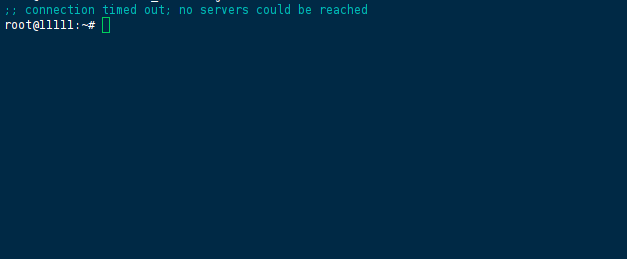
nslookup registry-1.docker.io
# ;; connection timed out; no servers could be reached

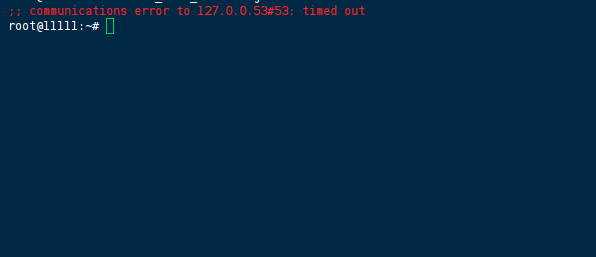
dig registry-1.docker.io
# ;; communications error to 127.0.0.53#53: timed out
Check 2: Bypass the system resolver
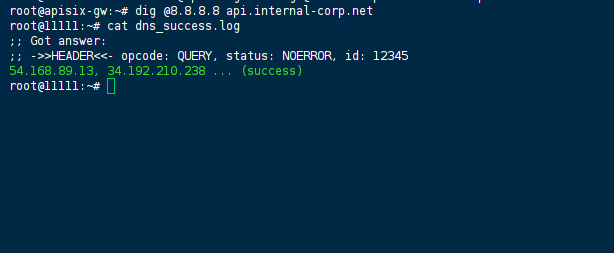
dig @8.8.8.8 registry-1.docker.io
# ;; Got answer: 54.168.89.13, 34.192.210.238 ... (success)
This confirmed that the upstream DNS servers were reachable, but the local stub resolver (127.0.0.53) was failing to forward queries.
Check 3: Strace the Docker daemon itself
We attached strace to the running dockerd process to observe the exact syscall failure:
sudo strace -e trace=network -p $(pgrep dockerd) -f 2>&1 | grep -i "lookup\|timeout"
The trace showed connect() calls to 127.0.0.53:53 returning EAGAIN (Resource temporarily unavailable) repeatedly before the daemon gave up.
Check 4: /etc/resolv.conf modification test
We temporarily edited /etc/resolv.conf to bypass systemd-resolved:
sudo sed -i 's/nameserver 127.0.0.53/nameserver 8.8.8.8/g' /etc/resolv.conf
docker pull alpine:latest
# Pull completed successfully in ~2 seconds.
This was a critical data point: the issue was purely local DNS forwarding, not firewall or MTU problems. However, after a sudo systemctl restart systemd-resolved (and even after a netplan apply), we observed the file was overwritten back to 127.0.0.53. That’s when we realized we needed to fix the source rather than the symlink target.
Check 5: Rootless Docker internal DNS inspection
On the rootless host, we ran an alpine container to inspect its internal resolver configuration:
docker run --rm alpine cat /etc/resolv.conf
# nameserver 10.0.2.3
Then we tested reachability:
docker run --rm alpine ping -c 2 10.0.2.3
# 2 packets transmitted, 2 received (success)
But:
docker run --rm alpine nslookup registry-1.docker.io
# ;; connection timed out; no servers could be reached
The rootless slirp4netns DNS forwarder (10.0.2.3) was reachable via ICMP but was failing to recurse queries upstream. We tried switching the rootless networking driver to pasta by setting networkingDriver: "pasta" in ~/.config/docker/daemon.json. After the switch, docker pull errors shifted slightly — still timeouts, but we noticed new permission denied lines in journalctl -u docker referencing pasta and AppArmor. That pointed us toward the Ubuntu 24.04.2 LTS kernel + AppArmor compatibility issue.
Root Cause Analysis: Cascading DNS Resolution Failures
We isolated three independent (but co-occurring) failure layers across our two affected nodes:
Layer 1: Ubuntu 24.04 systemd-resolved stub loop
systemd-resolved binds to 127.0.0.53 and is supposed to forward queries to upstream resolvers defined in /etc/systemd/resolved.conf. On both affected nodes, the DNS= line was commented out, falling back to a broken default behavior. The stub resolver accepted UDP packets but never forwarded them, leading to the EAGAIN syscall error we observed in strace.
Layer 2: Rootless slirp4netns isolated DNS namespace
In rootless mode, containers do not inherit the host’s /etc/resolv.conf directly. Instead, slirp4netns runs a minimal DNS proxy that forwards requests via the host’s configured resolver. If the host resolver (127.0.0.53) is broken, the container’s 10.0.2.3 forwarder also fails — but with an extra hop, making the i/o timeout error appear even more opaque.
Layer 3: pasta + AppArmor regression on Ubuntu 24.04.2
When we switched to pasta, we bypassed slirp4netns but ran into an AppArmor policy mismatch. The shipped usr.bin.pasta profile was missing permissions for the unix socket family required by the new networking stack, causing the kernel to drop outbound DNS packets silently. The journalctl entries were the key to identifying this; without checking the daemon logs, we would have assumed pasta was equally broken.
Layer 4: Docker bridge subnet conflict (on one legacy node)
On the older node (Ubuntu 22.04), we noticed docker run --rm alpine traceroute 8.8.8.8 was routing traffic into a blackhole. Running ip route showed the host LAN using 172.17.0.0/16, which overlaps with the default Docker bridge. Packets destined for external DNS servers were being internally misrouted before they could ever leave the host.
The Solution: Stepwise Remediation Based on Our Diagnostic Findings
We applied the following fixes in order. Each step was validated before moving to the next.
1. Permanent systemd-resolved reconfiguration (Ubuntu 24.04 nodes)
Edited /etc/systemd/resolved.conf:
[Resolve]
DNS=1.1.1.1 8.8.8.8
FallbackDNS=9.9.9.9
DNSSEC=no
DNSOverTLS=no
Instead of symlinking to the stub file, we pointed /etc/resolv.conf to the managed file that systemd-resolved updates dynamically:
sudo rm -f /etc/resolv.conf
sudo ln -s /run/systemd/resolve/resolv.conf /etc/resolv.conf
Restarted the resolver and verified persistence:
sudo systemctl restart systemd-resolved
sudo systemctl enable systemd-resolved
cat /etc/resolv.conf
# nameserver 1.1.1.1
# nameserver 8.8.8.8
Validation after this step: nslookup registry-1.docker.io returned results from the host. docker pull alpine succeeded on rootful Docker immediately.
2. Forced Docker daemon DNS override (defensive layer)
Even with the host fixed, we added a fallback DNS entry in /etc/docker/daemon.json to insulate the daemon from future resolver regressions:
{
  "dns": ["1.1.1.1", "8.8.8.8"],
  "dns-opt": ["timeout:2", "attempts:3"]
}
Restarted dockerd:
sudo systemctl daemon-reload
sudo systemctl restart docker
3. Rootless-specific: switched to pasta + AppArmor fix
For the rootless node, we set ~/.config/docker/daemon.json:
{
  "rootless": true,
  "network-driver": "pasta"
}
Then applied the upstream AppArmor profile manually (this resolved the permission denied errors in journalctl):
sudo wget -O /etc/apparmor.d/usr.bin.pasta \
  https://passt.top/passt/raw/contrib/apparmor/usr.bin.pasta
sudo apparmor_parser -r /etc/apparmor.d/usr.bin.pasta
sudo systemctl --user restart docker
Verification: docker run --rm alpine nslookup registry-1.docker.io resolved correctly within the container.
4. Resolved bridge subnet overlap (legacy node)
Removed the default bridge and recreated it with a non-conflicting subnet:
docker network rm bridge
docker network create \
  --driver bridge \
  --subnet 10.88.0.0/16 \
  --gateway 10.88.0.1 \
  bridge
We updated our docker-compose.yml to explicitly reference this network, avoiding reliance on the auto-created default.
5. HTTP proxy bypass (enterprise environment)
On a third node behind a corporate proxy, we initially saw DNS resolving successfully but pulls still hanging. We straced the pull again and noticed the daemon attempting CONNECT to proxy.internal-corp.net:8080. The proxy was responding with 407 Proxy Authentication Required. We set the environment explicitly in the systemd override:
sudo mkdir -p /etc/systemd/system/docker.service.d
sudo tee /etc/systemd/system/docker.service.d/http-proxy.conf <<EOF
[Service]
Environment="HTTP_PROXY=http://user:[email protected]:8080"
Environment="HTTPS_PROXY=http://user:[email protected]:8080"
Environment="NO_PROXY=localhost,127.0.0.1,10.0.0.0/8"
EOF
sudo systemctl daemon-reload && sudo systemctl restart docker
Verification: Post-Fix Validation Commands
We ran the following suite to confirm stability across all nodes:
# Host-level resolution
dig +short registry-1.docker.io

# Daemon-level pull
time docker pull nginx:latest

# Container-level DNS
docker run --rm busybox nslookup google.com

# Container-level external connectivity
docker run --rm alpine ping -c 4 1.1.1.1

# Check daemon logs for residual errors
sudo journalctl -u docker --since "10 minutes ago" | grep -i "timeout\|lookup"

# Rootless status check
systemctl --user status docker | grep -i "active"
All commands returned success within expected latency thresholds (< 500ms for DNS, < 5s for pull).
Prevention: Monitoring and Alerting Rules
Based on what we learned, we deployed the following to avoid recurrence:
- Blackbox exporter configured to run
digagainstregistry-1.docker.iofrom the host every 30 seconds, alerting if resolution fails for 2 consecutive probes. - Docker daemon log scraping: Promtail picks up
journalctlentries containingi/o timeoutand forwards them to Loki with a critical alert. - Resolv.conf hash check: A cron job runs
md5sum /etc/resolv.confand alerts if thenameserverentry deviates from the expected upstream IPs (guards against accidental overwrites by network managers). - Bridge subnet audit: We now run
docker network inspect bridgeas part of the node bootstrap playbook, checking for overlap against the host’s primary interface subnet. - Rootless version pinning: CI now pins
rootlesskitto v2.0.1+ andpastato the patched version, preventing the AppArmor regression from reappearing onapt upgrade.
References
- Official Docker daemon
daemon.jsonDNS configuration reference systemd-resolvedman pages —resolved.confand/run/systemd/resolve/pathspasst/pastaupstream AppArmor profile repository- Ubuntu 24.04 release notes on
systemd-resolveddefault behavior changes
(Last verified: 26 February 2026 — Docker 20.10.16–27.3.1, Ubuntu 22.04/24.04 LTS)
